Activating Cash on Delivery (COD) Payment Method in Shopify
Cash on Delivery (COD) is a popular payment option that allows customers to pay when they receive their order. Enabling COD in your Shopify store is simple and ensures a seamless shopping experience for your customers.
Follow this guide, which includes a video tutorial and detailed step-by-step instructions, to activate and test the COD payment method in your store.
Video Tutorial
Watch our step-by-step video tutorial to quickly learn how to activate the Cash on Delivery (COD) payment method in your Shopify store:
Step-by-Step Documentation
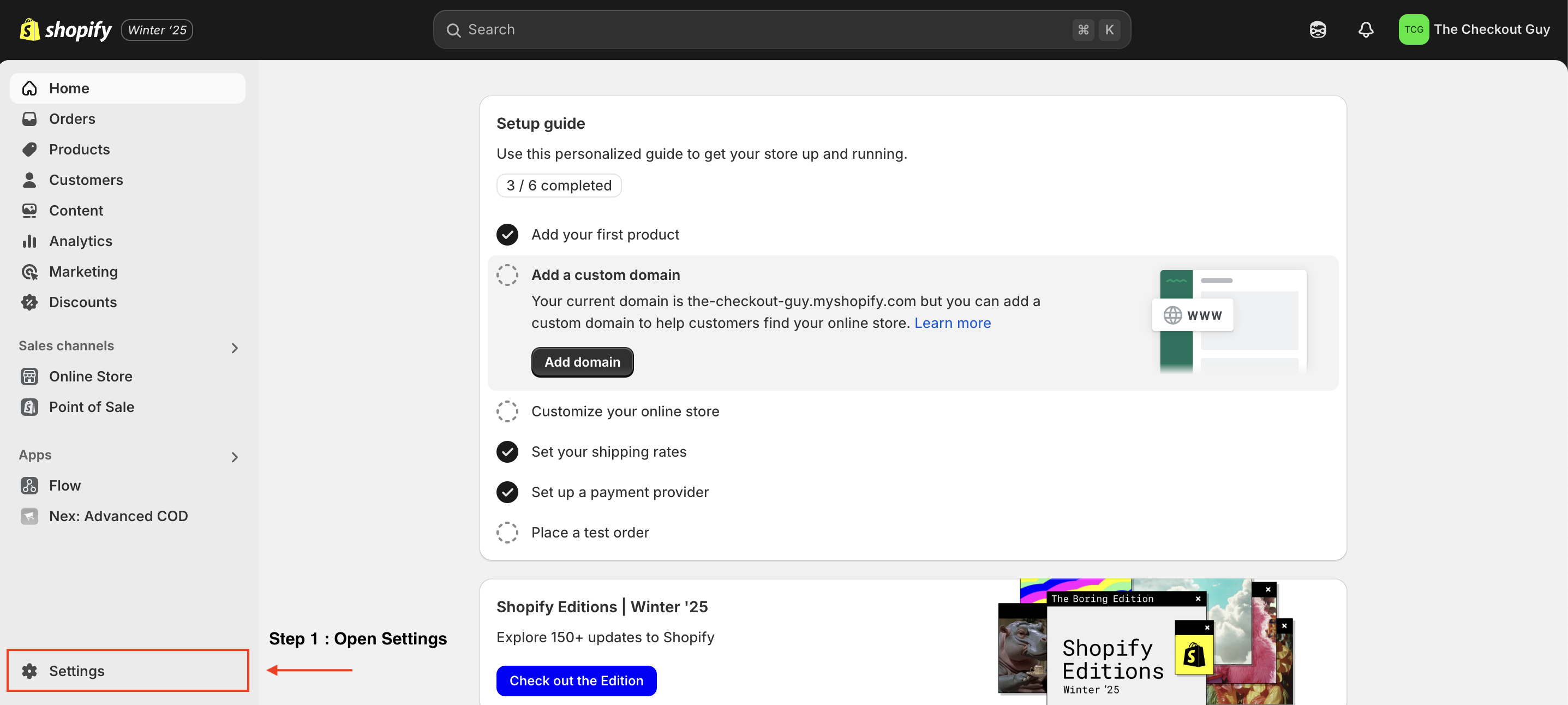
Step 1: Open Settings
From your Shopify admin page, click on Settings located at the bottom-left corner of the dashboard.
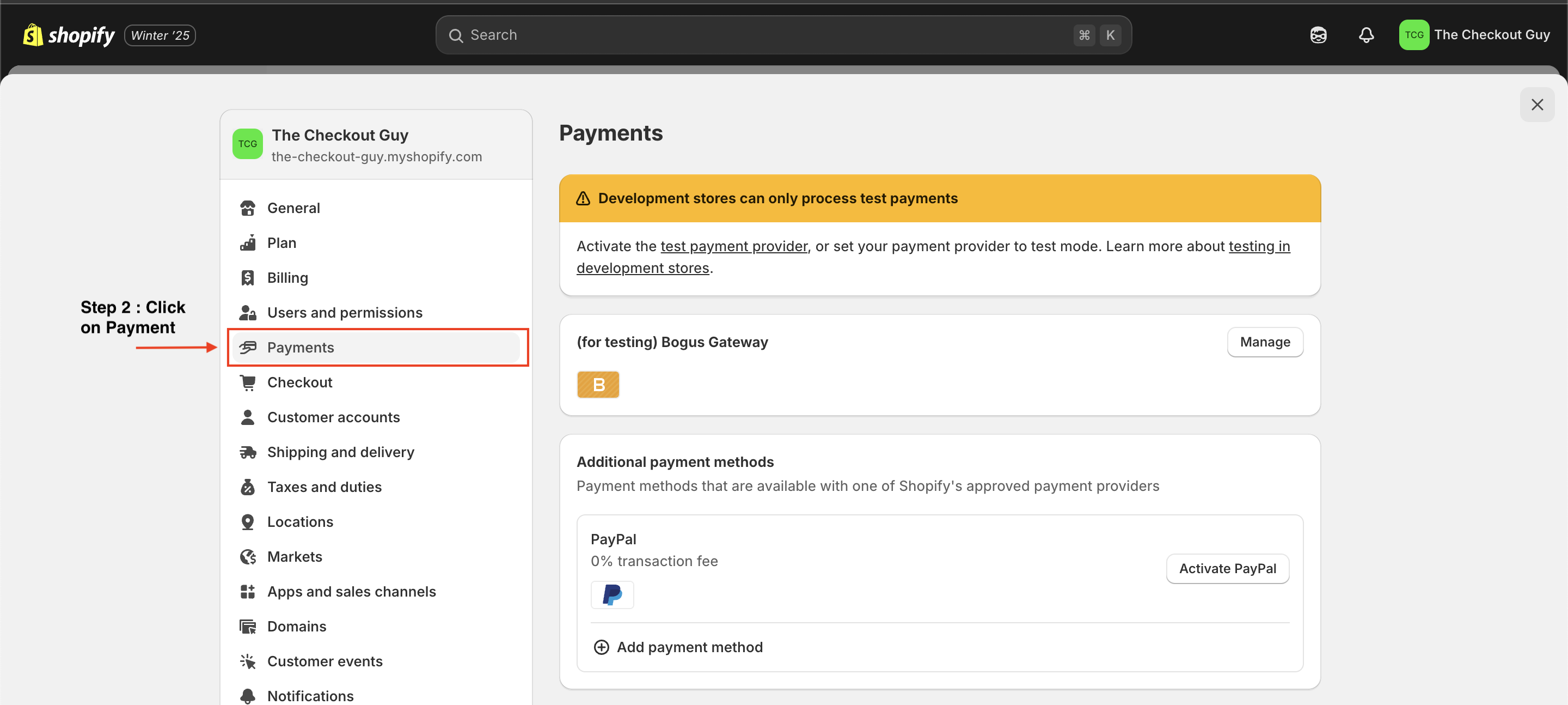
Step 2: Go to Payment Settings
In the Settings menu, select the Payments section.
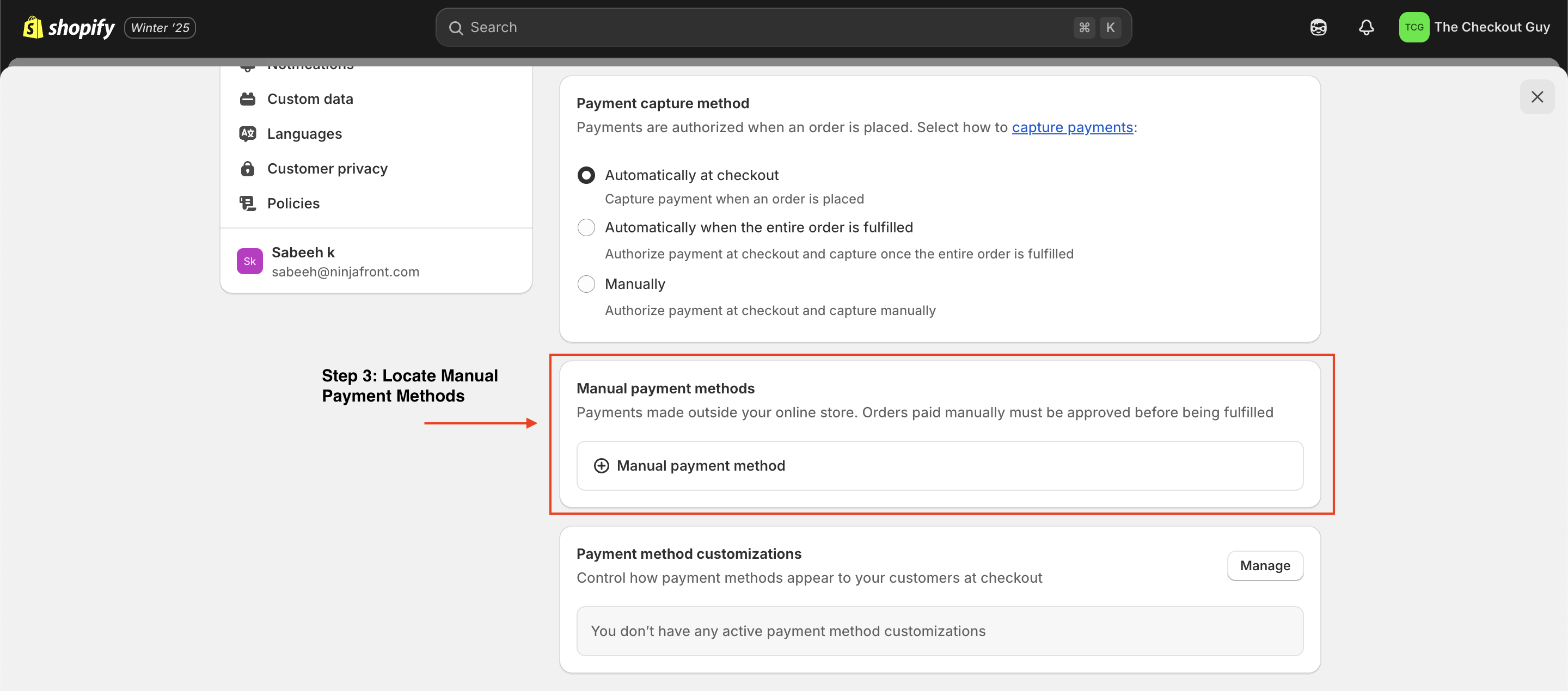
Step 3: Locate Manual Payment Methods
Scroll down to find the Manual payment methods section.
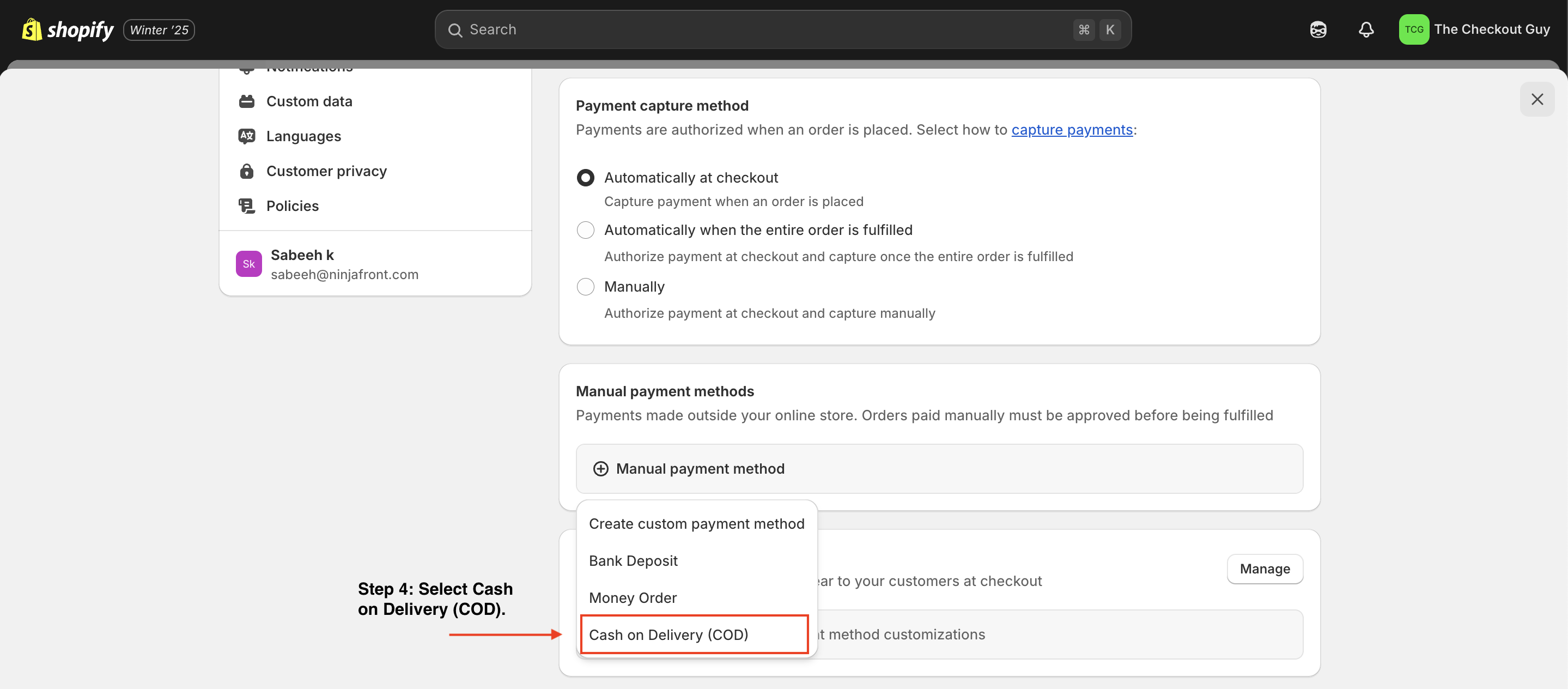
Step 4: Add a Manual Payment Method
Click on the Add manual payment method button.From the dropdown menu, select Cash on Delivery (COD).
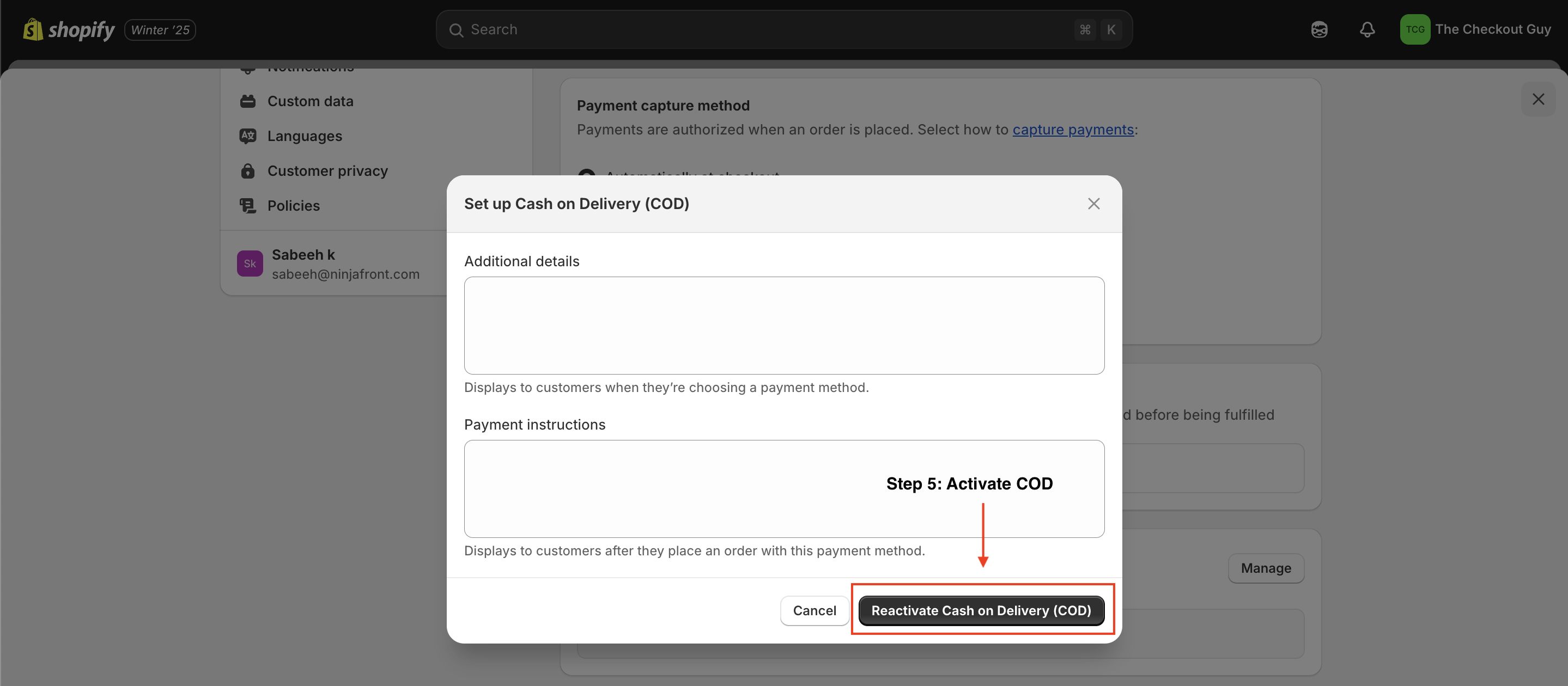
Step 5: Activate COD
Click on the Activate/Reactive Cash on Delivery (COD) button to enable this payment method.
Testing the COD Payment Method is Activated
Step 1: Visit Your Online Store
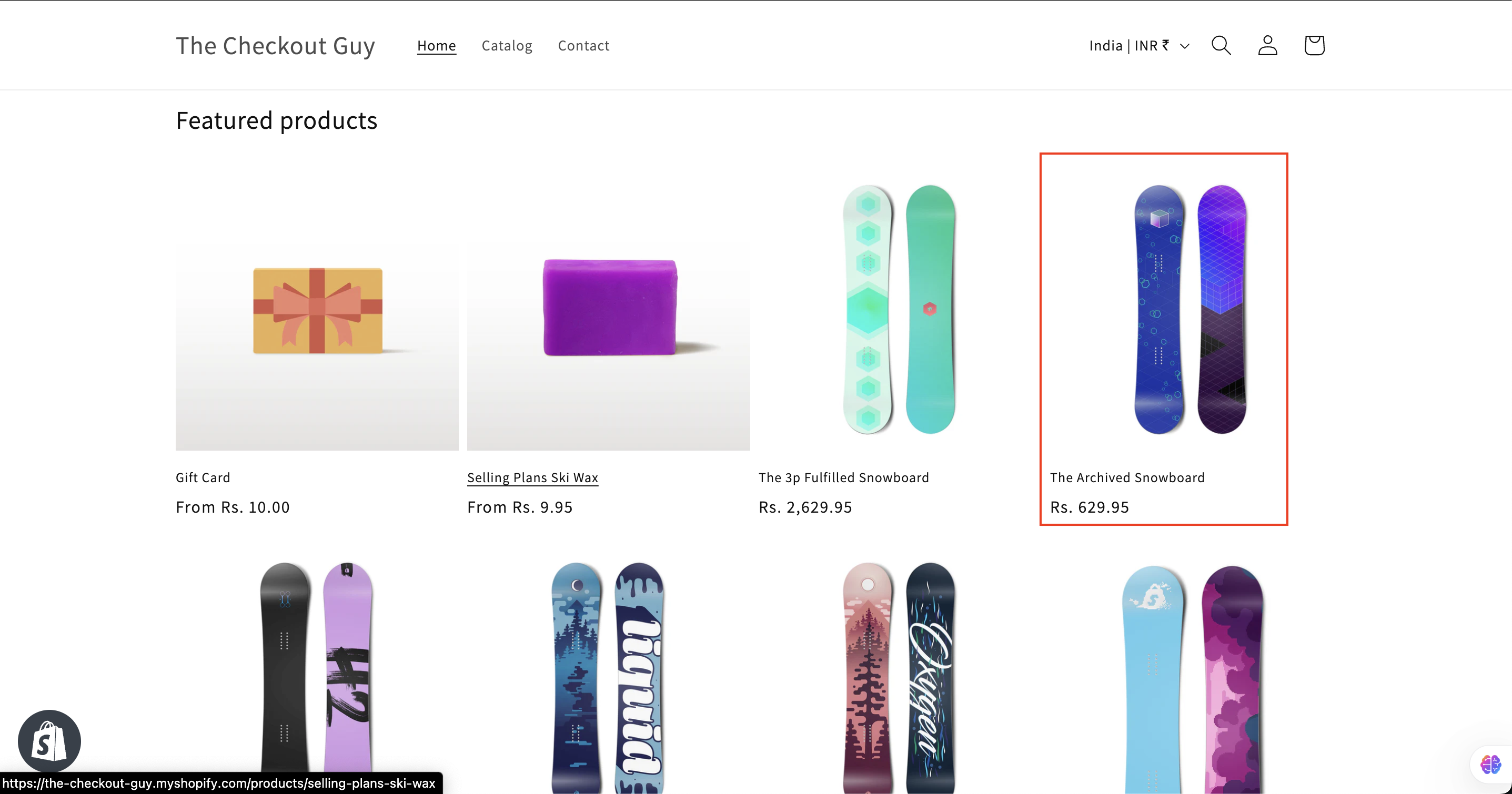
Go to your store's online storefront.
Step 2: Add a Product to the Cart
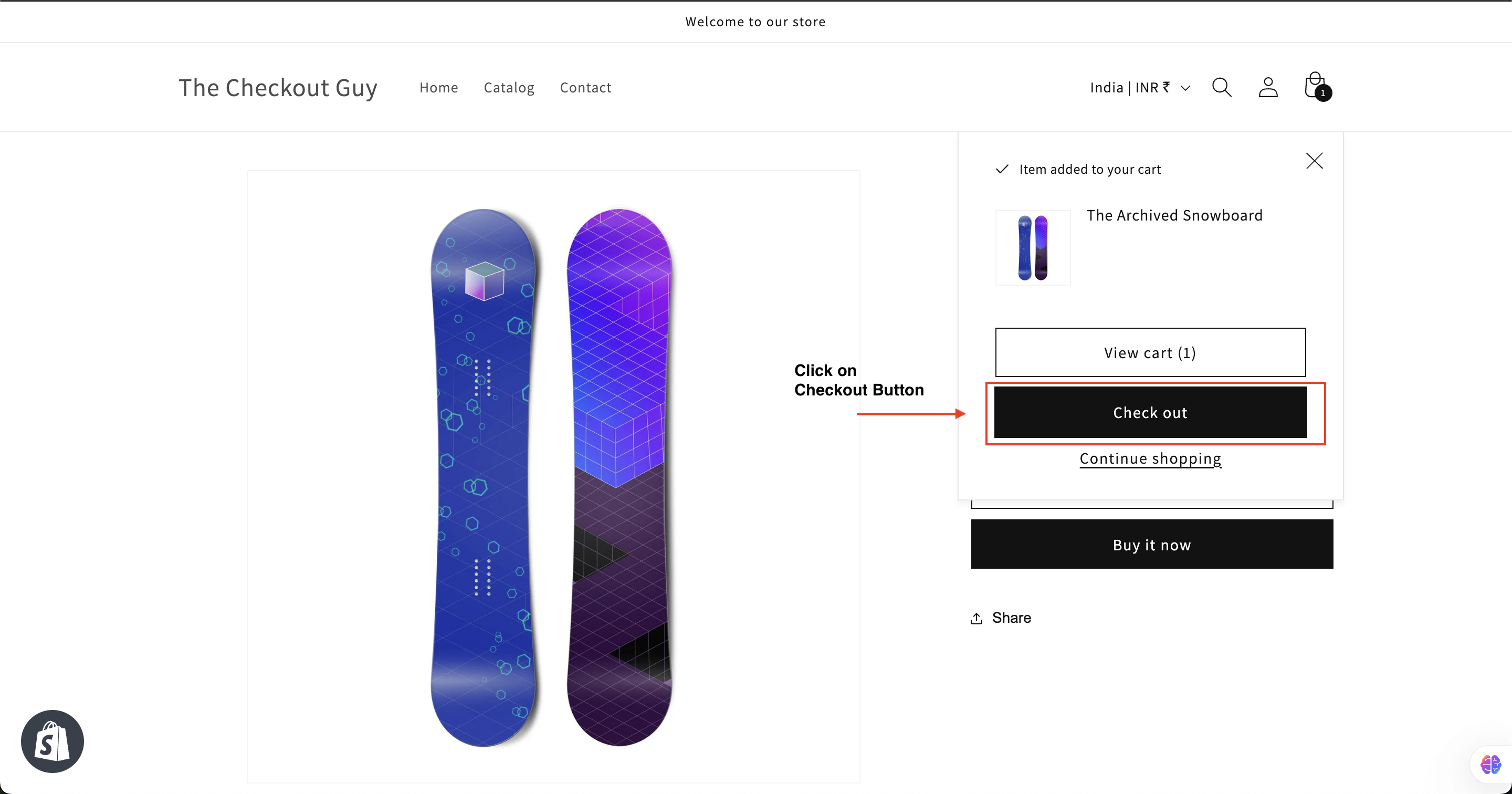
Select any product, add it to your cart, and proceed to checkout.
Step 3: Verify COD Payment Option
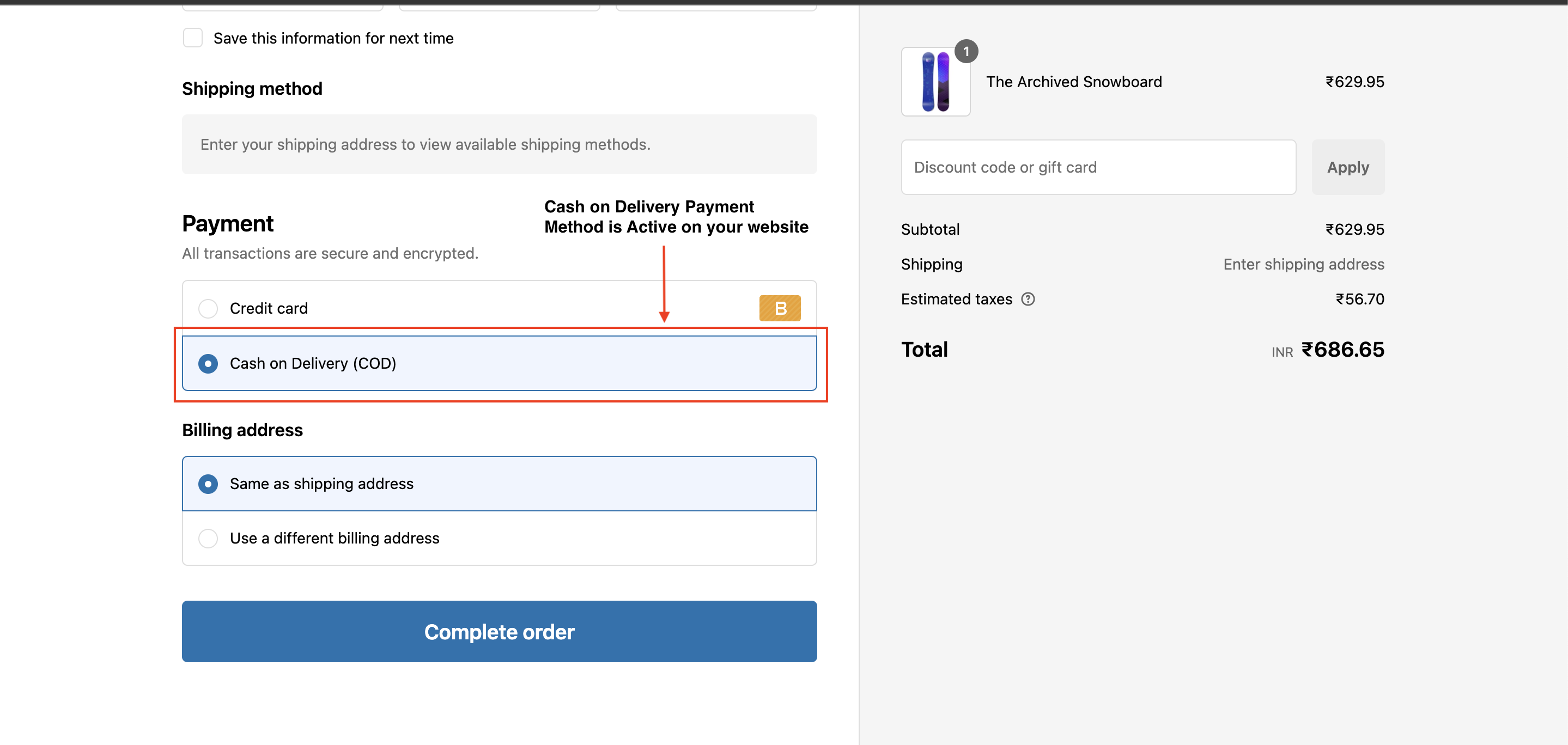
In the payment section at checkout, you should now see the Cash on Delivery (COD) payment method available.
Conclusion
Congratulations! You have successfully activated and tested the Cash on Delivery (COD) payment method in your Shopify store. Offering COD can help you cater to a broader customer base and increase sales.